Information displays
Arrivals, notices, live departures and today's programme — updated from the systems that already hold them, not retyped every morning.
mirra.
For your home
Your calendar, the weather, the school run and the front door — on a pane of glass in the hall. Ask it anything out loud, and a face answers.
One system for the whole building
Wayfinding, menus, room availability, a visitor book at the door and lights on the floor plan — scheduled to the minute, run from one console, and answering questions out loud when somebody asks.
Built by the team behind Twinview, the digital twin platform for commercial buildings.
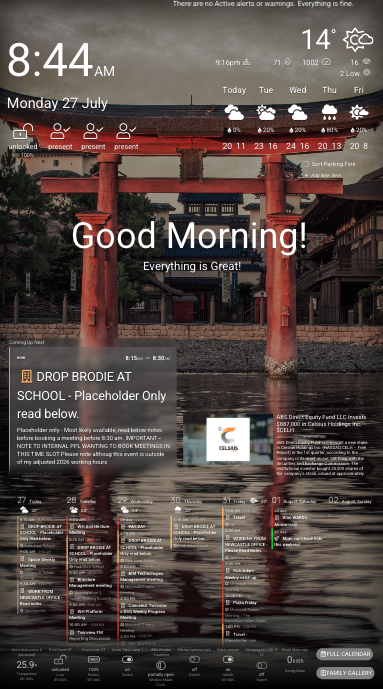
The assistant is rendering live. The dashboard behind it is a still.

Twelve columns, any arrangement, live preview as you build. What you see in the browser is exactly what appears on the glass.
Learn more
Speak to it and something looks back — eight to choose from, from drifting motes to a translucent jellyfish. It lip-syncs to its own voice.
Learn more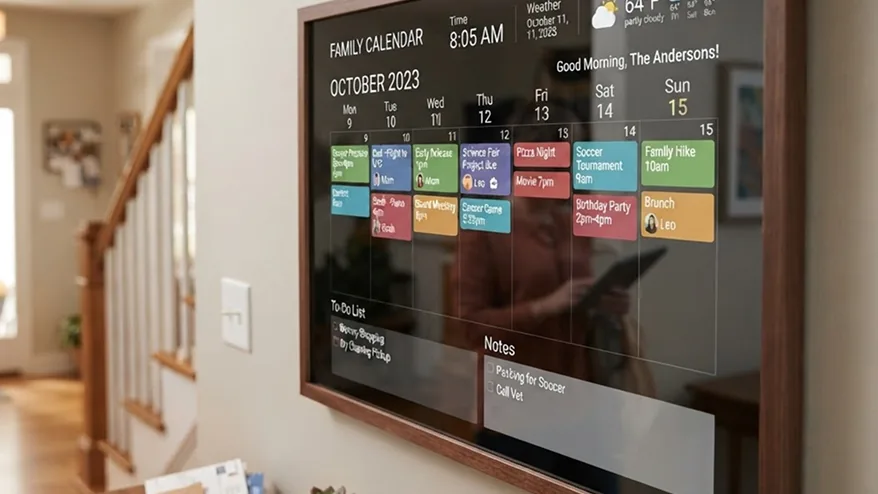
Google, Outlook, iCloud and any iCal link, merged. Day, week or month, with the school run and the bins where you'll actually see them.
Learn more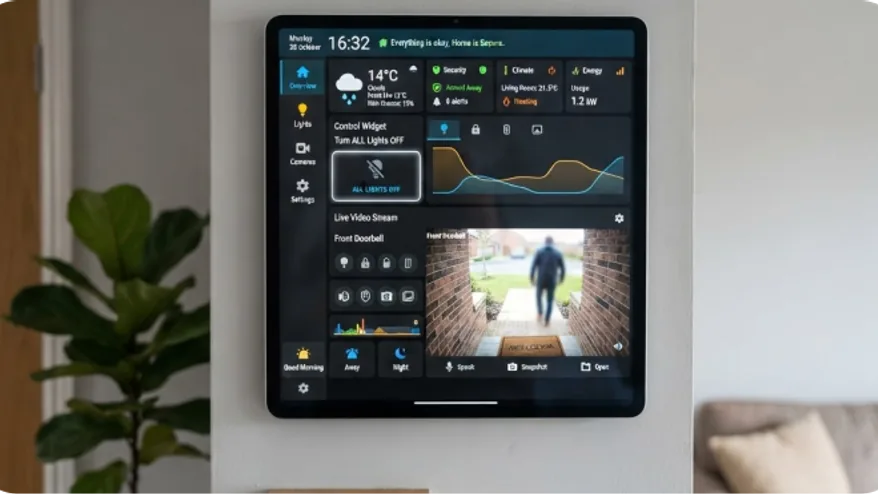
Lights, locks, thermostats and cameras, read and controlled over your own network. It talks to Home Assistant directly, so it keeps working when the internet does not.
Learn more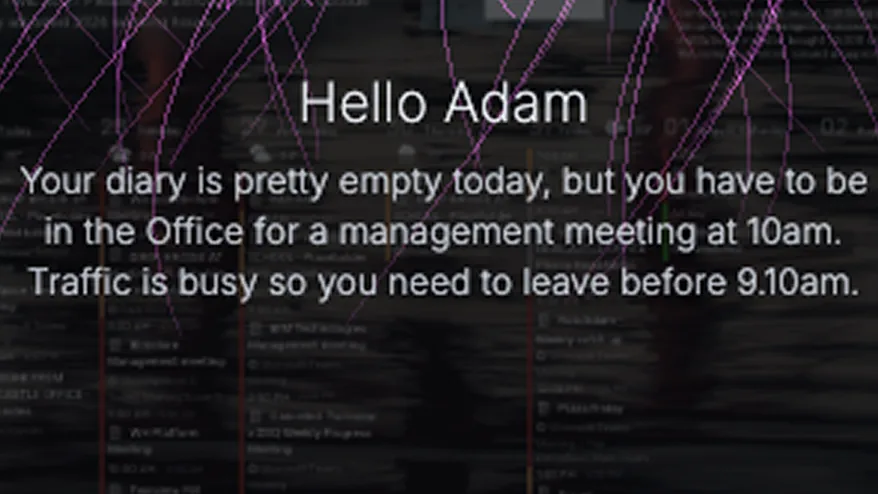
Optional on-device recognition greets people by name and shows them their own things. Images never leave the device.
Learn more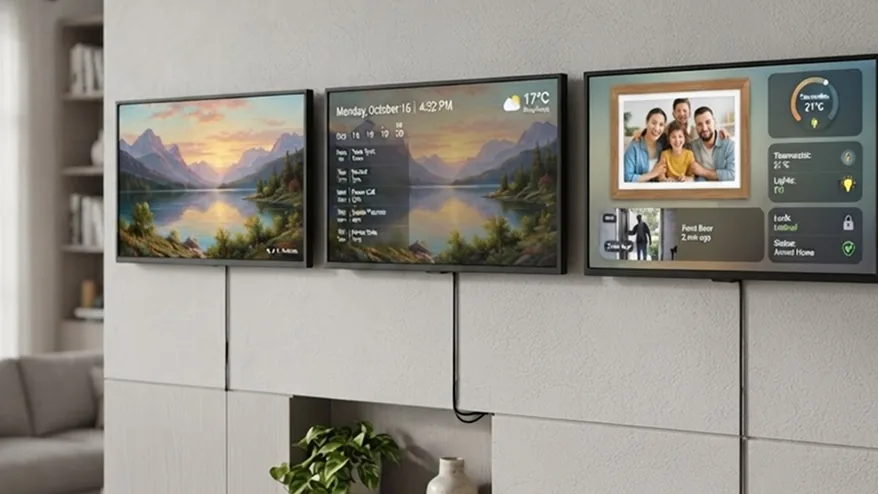
A calm clock overnight, the family calendar at breakfast, photos at the weekend. Scenes change on a schedule, with proper transitions.
Learn more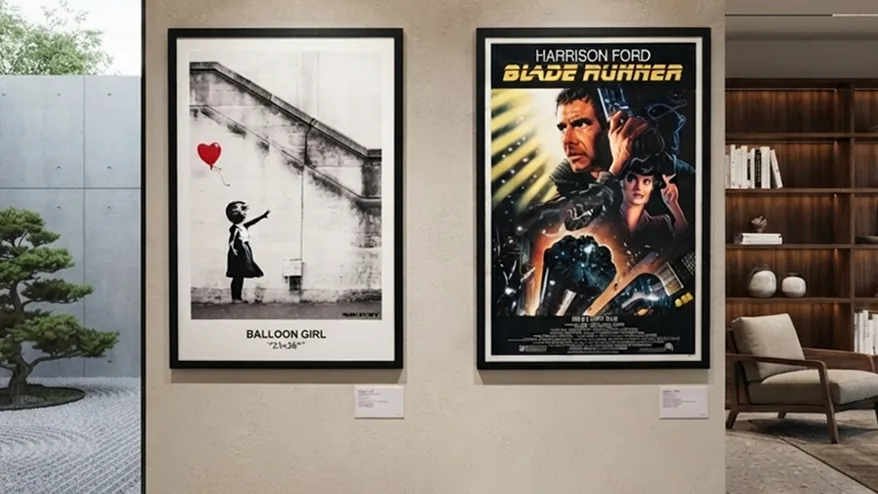
A wall of real art when the screen has nothing better to do. Museum collections, artists you can buy from, chosen to suit the light and the weather — or hang your own.
Learn more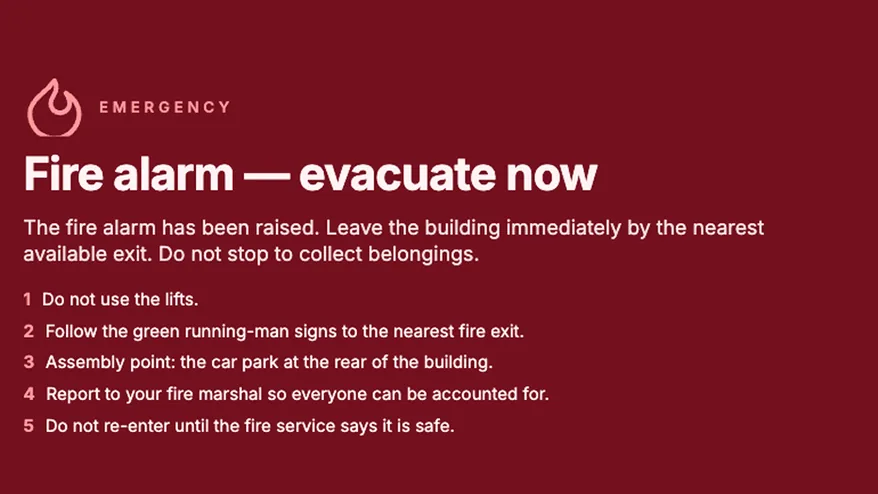
Take every screen in the house at once, from a phone or from your alarm system through Home Assistant. Included on every plan, because the one time it matters is not the time to be upselling.
Learn moreDesign once, push to a wall or to a hundred. Reception, the canteen and every meeting room, managed from a browser.
Learn moreVisitors sign themselves in at a booth by the door. When the fire panel starts an evacuation, the roll call goes out on its own — grouped by company in a building let to several.
Learn moreA timeline like a video editor: drag scenes across the day, per screen, with fades and pushes between them. Breakfast menu at seven, lunch at eleven.
Learn moreA REST API and webhooks put your booking system, your BMS or your queue management in charge of what the screen says.
Learn moreA speaking assistant that answers visitors' questions at the door, in the corridor, or at the counter — and knows about your building.
Learn moreYour logo, your colours, your domain. Nobody looking at the screen learns our name.
Learn more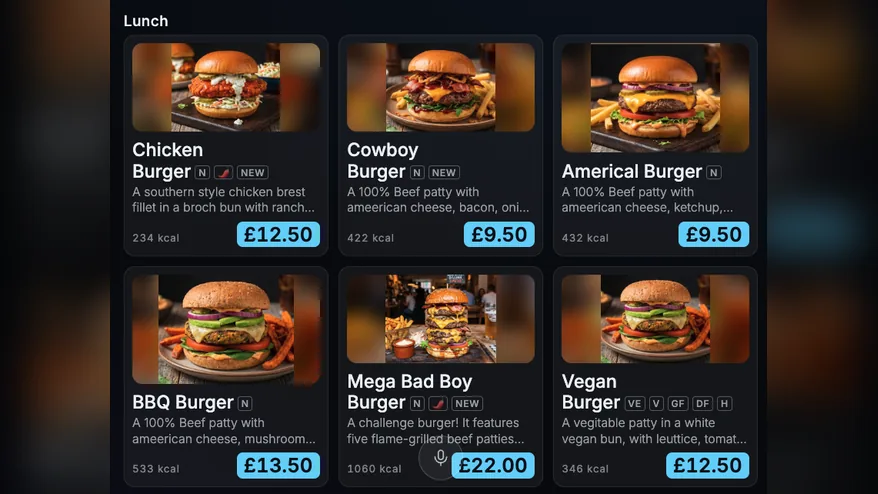
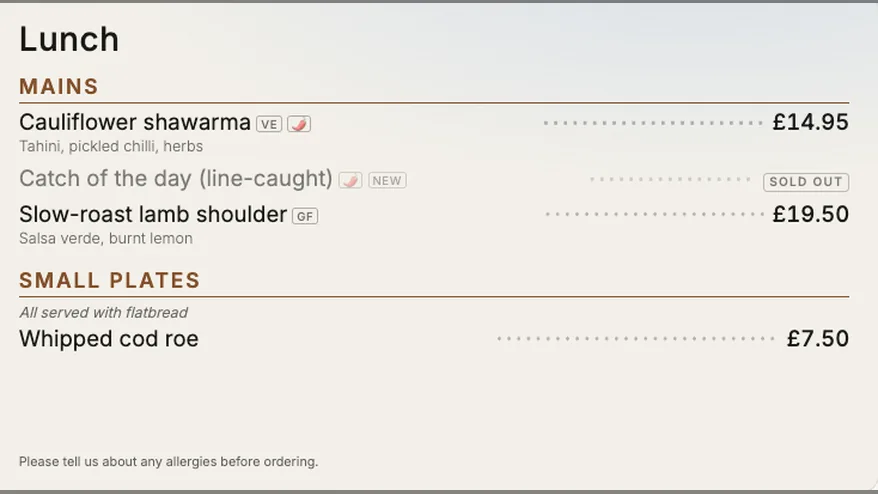
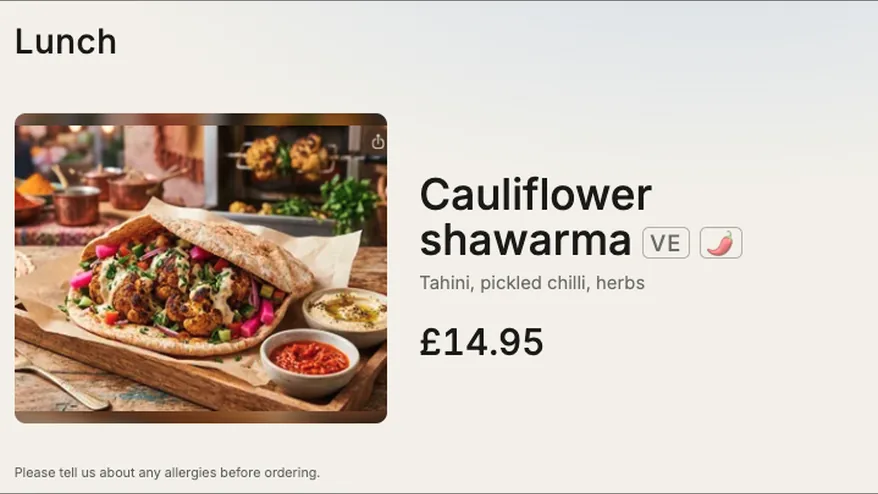
Breakfast at seven, lunch at eleven, and a price change that lands on every board at once. Nobody climbs a ladder.
Learn moreOne call to the API takes every screen in the building and holds it there, over whatever was scheduled. Standard on every plan.
Learn moreThe commercial plans add what a building needs: more screens, digital menus, room availability, single sign-on, the REST API, white-label branding and support with the rollout. Suited to retail, hospitality, education and healthcare.
Works with
Arrivals, notices, live departures and today's programme — updated from the systems that already hold them, not retyped every morning.
Price changes take effect everywhere at once, and the board changes itself from breakfast to lunch without anyone climbing a ladder.
Free or booked, at the door, straight from the calendar that made the booking. No more knocking to find out.
Greet a visitor by name and point them where to go. Reception that works when reception has stepped away.
Air quality, energy, temperature and occupancy — the building explaining itself to the people inside it.
Someone asks a question out loud and gets a spoken answer. Directions, opening hours, what's on — without finding a member of staff.
Take every screen at once and hold it there. One call to the API overrides whatever was scheduled, on every display, immediately.
Mirra is software. Five ways to get it onto a screen — from the browser you already have to a mirror that arrives built.
One command on Raspberry Pi OS turns a Pi into a wall display: the browser opens full screen at boot, the cursor disappears, the screen never blanks, and a watchdog restarts it if it ever dies. Or write our ready-made image to an SD card and skip the command entirely.
The same one command on Ubuntu, and it works out which machine it is on. Worth it for two things a Pi cannot manage: live video from your cameras rather than a still every second or two, and music playing out of the mirror itself. Costs a few times what a Pi does, and has no pins for a wired button.
The screen is a web app. Open it on an old laptop, a spare tablet or a mini PC, put the browser in full screen, and that is a Mirra display. Nothing to install, and the quickest way to see whether you like it before buying anything.
Many smart TVs have a browser good enough to run it — point it at your screen URL and leave it there. Support varies by make and age, and the animated faces ask more of a TV than a Pi does, so try it before you rely on it.
A small Mirra module that plugs into the back of any screen with HDMI, joins your Wi-Fi from your phone, and pairs itself. No SD cards, no terminal, no browser settings. Not available yet — this is what we are building next.
The whole thing, built: mirror glass, display and computer in one frame. Hang it, plug it in, tell it your Wi-Fi, and it is already showing your calendar. For people who want a smart mirror rather than a project.
Integration tokens are encrypted at rest with a key the database never sees. API keys are stored as one-way hashes — we cannot show you your own key twice, by design.
The Home Assistant connection runs device-to-device on your own LAN. Camera images and recognition are processed on the screen and never uploaded.
Per-key API access scoped to one estate, revocable in a click, with an audit log of what changed and when. Single sign-on on Enterprise.
Start free on one screen. Move up when you add another.
Priced by the estate, not the seat. Every plan includes the API, the scheduler and the assistant.
Free
£6/month
£12/month
£24/month
£96/month
The price shown is the price charged. Cancel from your account at any time — no notice period, no minimum term.
A screen and a Raspberry Pi, behind two-way mirror glass if you want the mirror effect. A mini PC works too and does more — live camera video, and music through the mirror itself — for a few times the price. Any browser works as well, so you can try the whole thing on a laptop before buying anything.
No. Face recognition is optional, runs entirely on the device, and no image ever leaves it. The microphone only listens after you summon the assistant.
Yes. The display works on its own, and the free plan includes a small assistant allowance so you can decide whether you want it at all.
The free plan covers one screen. Paid plans start at £6 a month. The assistant is metered by usage, and the allowance is shown in your account.
Business plans start at five and run to 250. Beyond that, or for an estate whose security policy forbids a cloud tenancy, there is Mirra Sovereign — the whole platform on-premise and air-gapped, priced on application. Mirra is part of Twinview and built by the same architect, so estate-scale deployments are familiar ground.
Yes. There's a REST API for screens, layouts and schedules, and webhooks for the other direction. If your BMS, booking system or ERP can make an HTTP request, it can drive a screen.
Screens keep showing their last layout, and anything on your own network — Home Assistant, building data — keeps working. They resync when the connection returns.
Single sign-on via OIDC, audit logging, encrypted credentials at rest, per-key API access and no inbound firewall rules required. We're happy to answer a security questionnaire.
On Enterprise, yes — your logo, colours and domain throughout, including the screens themselves and the portal your staff use.
Try the whole thing in a browser before you buy a single piece of hardware.