A different wall for each person
Your calendar when you walk up, theirs when they do, and the house view when nobody is there.
Features Presence
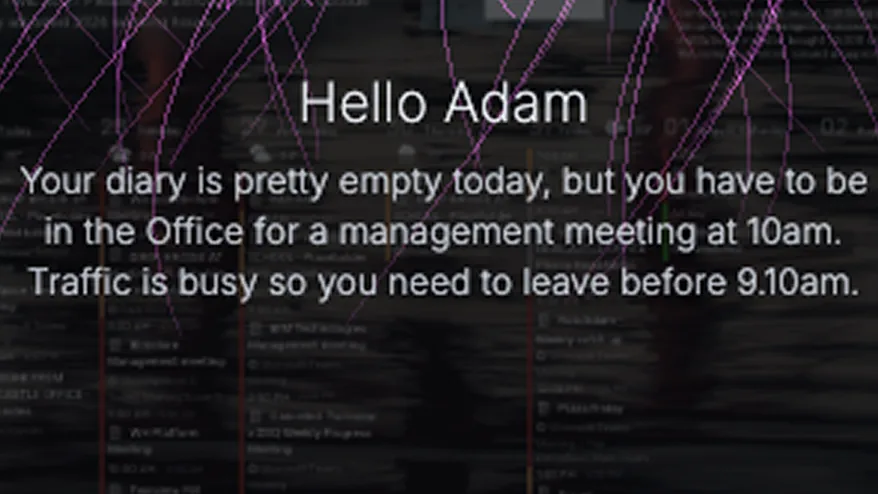
A wall that knows who is standing in front of it can be genuinely useful. It can also be the creepiest thing in the house. The difference is entirely in where the pictures go.
Recognition runs in the browser on the device itself. Frames are compared against enrolments held on that screen and then discarded. No image is uploaded, none is stored, and there is no library of your family on a server somewhere — because there is no server involved in this at all.
What leaves the device is a name and a timestamp, so that the screen can greet the right person and the household can see what happened.
The camera is off until you switch it on for a particular screen. When it is running, the screen shows an indicator — a wall that is watching should look like a wall that is watching.
Set how long somebody must linger before it greets them, so it ignores people walking past. Set the quietest gap between greetings for the same person, so it does not greet you on every trip to the kettle. Set quiet hours, so it says nothing at two in the morning.
Scenes can change too: one when somebody is here, another when the room is empty.
Your calendar when you walk up, theirs when they do, and the house view when nobody is there.
A greeting and the day ahead for the first person into the kitchen, and silence for the rest of the day.
No. Recognition happens on the device and frames are discarded immediately. Enrolments live on that screen.
It is off until you turn it on, per screen, and turning it off also disables camera gestures because it is the same camera and the same consent.
It greets rather than unlocks. Nothing is gated behind recognition, so a mistake is a wrong name rather than a security failure.
Start free on one screen. No card until you add a second.